
Anúncios
Transforming your smartphone into a voice-controlled assistant like Alexa is easier than ever, bringing the power of Amazon’s intelligent ecosystem right into your pocket, anywhere you go.
The Amazon Alexa app has revolutionized how we interact with smart devices, turning ordinary smartphones into powerful command centers. Whether you’re using Android or iOS, this free application opens up a world of possibilities, from controlling smart home devices to playing music, setting reminders, and answering questions with just your voice.
Anúncios
What makes this transformation truly remarkable is how seamlessly the app integrates with your daily routine. You don’t need expensive hardware or complicated setups—just download the app, and suddenly your phone becomes an extension of Amazon’s voice assistant technology, ready to help with everything from grocery lists to traffic updates.
🎯 Why Turn Your Phone Into Alexa?
The decision to transform your smartphone into an Alexa-powered device comes with numerous practical advantages. Unlike standalone Echo devices that remain stationary in your home, your phone travels with you everywhere, making voice assistance truly portable.
Anúncios
This mobility means you can manage your smart home while at work, check your calendar during commutes, or shop online hands-free while cooking dinner. The convenience factor alone makes the Amazon Alexa app an essential download for anyone looking to streamline their digital life.
Beyond convenience, the app serves as a gateway to Amazon’s entire ecosystem. You gain access to thousands of skills, third-party integrations, and services that expand what your phone can do. From ordering food to controlling thermostats, the possibilities multiply exponentially once you activate Alexa on your mobile device.


📱 Getting Started: Installation and Setup
Installing the Amazon Alexa app is straightforward and takes just a few minutes. The process begins by visiting your device’s app store—Google Play Store for Android users or the Apple App Store for iPhone owners. Search for “Amazon Alexa” and download the official app, recognizable by Amazon’s distinctive branding.
Once downloaded, open the app and sign in with your Amazon account. If you don’t have one, creating an account is free and takes less than five minutes. This account serves as your central hub, syncing all your preferences, devices, and settings across platforms.
After logging in, the app will request several permissions including microphone access, location services, and notification capabilities. Granting these permissions ensures Alexa functions optimally, though you can customize which features you want to enable based on your privacy preferences.
🔧 Initial Configuration Steps
The setup wizard guides you through essential configurations. First, you’ll select your language preference and regional settings, which determine Alexa’s accent and available features. Then comes device discovery, where the app searches for compatible smart home devices connected to your network.
If you already own Echo devices or other Alexa-enabled products, they’ll automatically appear in your device list. The app becomes a control center for all these gadgets, letting you manage them from one unified interface. Even if you don’t have any smart devices yet, you can still enjoy many of Alexa’s features directly through your phone.
Voice training is another important setup step. The app may ask you to read several phrases aloud, helping Alexa recognize your unique speech patterns and accent. This personalization improves accuracy over time, making voice recognition more reliable in noisy environments or when using natural conversational language.
🗣️ Voice Commands and Everyday Use
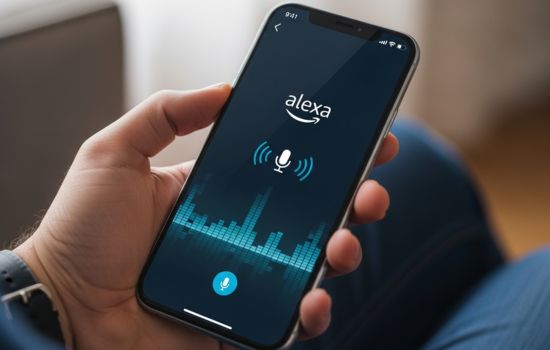
Once configured, your phone essentially becomes a portable Alexa device. Activating the assistant is simple—just tap the blue Alexa button within the app and start speaking. Unlike hands-free Echo devices, most smartphones require this manual activation unless you configure specific wake word detection settings.
The range of voice commands you can use is virtually identical to standalone Echo devices. Ask about weather forecasts, set timers and alarms, play music from Amazon Music, Spotify, or other streaming services, and control compatible smart home devices with natural language requests.;
Shopping becomes remarkably convenient through voice commands. Tell Alexa to add items to your cart, reorder frequently purchased products, or track packages in transit. The integration with Amazon’s retail platform makes purchasing effortless, though you’ll need to enable voice purchasing and set up a payment method first.
📻 Entertainment and Media Control
Entertainment options through the Alexa app are extensive. Stream music from multiple services, request specific songs, artists, or genres, and create custom playlists with voice commands. Podcasts, audiobooks from Audible, and radio stations are equally accessible, turning your phone into a comprehensive media player.
For video content, Alexa can cast compatible media to smart TVs or streaming devices like Fire TV Stick. Tell Alexa what you want to watch, and if you have the right equipment, content begins playing on your television automatically. This seamless integration between devices showcases the power of Amazon’s connected ecosystem.
🏠 Smart Home Integration Made Simple
One of the most compelling reasons to use the Alexa app is smart home management. The app supports thousands of compatible devices from major brands including Philips Hue, Ring, Nest, TP-Link, and countless others. Adding devices is typically as simple as enabling the manufacturer’s skill within the Alexa app.
Once connected, you can control lights, thermostats, security cameras, door locks, and appliances through voice commands or the app’s touch interface. Create routines that trigger multiple actions simultaneously—for example, saying “Alexa, good morning” could turn on lights, adjust the thermostat, and start your coffee maker.
Routines represent one of Alexa’s most powerful features. These automated sequences execute based on triggers like time of day, location, or voice commands. Build custom routines tailored to your lifestyle, whether that means scheduling lights to turn off at bedtime or having smart plugs activate when you arrive home.
🔐 Security and Privacy Considerations
Security features within the Alexa app give you control over your data. Review and delete voice recordings from the app’s settings menu, disable specific features you don’t use, and manage which skills have access to your information. Amazon provides transparency about data collection and offers multiple privacy controls.
Voice PIN codes add an extra security layer for sensitive actions like making purchases or unlocking smart locks. Enable this feature in settings to require a spoken four-digit code before Alexa completes certain commands. This prevents unauthorized users from making purchases or accessing restricted functions.

💡 Skills: Expanding Alexa’s Capabilities
Alexa Skills are third-party applications that dramatically expand what your phone’s assistant can do. The Skills library contains over 100,000 options, ranging from games and trivia to productivity tools and specialized information sources. Think of Skills as apps within the Alexa ecosystem.
Popular Skills include meditation guides, recipe assistants, language learning programs, and home workout routines. Enable Skills directly from the app’s Skills section, browsing by category or searching for specific functionality. Many Skills are free, though some premium options require subscriptions or one-time purchases.
Developing custom Skills is also possible if you have programming knowledge. Amazon provides developer tools and documentation for creating personalized Alexa experiences. Small businesses often create branded Skills to enhance customer engagement, while hobbyists build unique applications for personal use.
🔔 Notifications and Reminders
The Alexa app excels at keeping you organized through notifications, reminders, and announcements. Set voice reminders that alert you at specific times or locations, create shopping lists that sync across all your devices, and manage calendar events with natural language requests.
Announcements let you broadcast messages to all Alexa devices in your home simultaneously. If you have Echo devices in multiple rooms, use your phone’s Alexa app to announce dinner is ready, or remind family members about appointments. This intercom-like functionality enhances household communication.
Package tracking notifications appear automatically when you order from Amazon. Alexa proactively informs you when shipments are out for delivery or have arrived, eliminating the need to constantly check tracking numbers. These contextual notifications make the app genuinely helpful rather than intrusive.
🎵 Music and Audio Features
Music playback through the Alexa app supports multiple streaming services beyond Amazon Music. Link Spotify, Apple Music, Pandora, Deezer, or other compatible platforms through the app’s settings. Once connected, request songs from any service using voice commands, and Alexa will play from your preferred platform.
Multi-room audio becomes possible when you own multiple Echo devices. Use the app to group devices together, then play synchronized music throughout your home. Control volume levels individually or adjust all speakers simultaneously, creating the perfect ambiance for any occasion.
Podcast and audiobook playback integrates smoothly with Audible and other services. Resume listening where you left off across different devices, adjust playback speed, and navigate chapters using voice commands. The app remembers your position, making it easy to switch between phone listening and home device playback.
🌐 Communication Capabilities
The Alexa app includes built-in communication features that transform your phone into a versatile calling and messaging device. Make voice calls to other Alexa users completely free, send voice messages, and even conduct video calls if the recipient has a compatible device like an Echo Show.
Drop In functionality lets you instantly connect to other Alexa devices in your home network or those belonging to approved contacts. This feature works like an intercom, useful for checking in on elderly relatives or communicating between floors in a multi-story home. Privacy settings let you control who can Drop In on your devices.
⚡ Performance Tips and Optimization
Maximizing the Alexa app’s performance involves a few simple optimizations. Keep the app updated to ensure you have the latest features and security patches. Enable background app refresh on iOS or disable battery optimization restrictions on Android so Alexa can respond quickly when summoned.
Clearing the app’s cache periodically helps maintain smooth operation, especially if you notice lag or delayed responses. On Android, this option appears in your phone’s app settings, while iOS users can reinstall the app to achieve similar results without losing configurations.
Voice recognition improves with use as Alexa learns your speech patterns. Speak naturally rather than robotically, and don’t hesitate to rephrase questions if Alexa misunderstands initially. Over time, accuracy increases, making interactions feel more conversational and intuitive.
🔄 Syncing Across Multiple Devices
One of the Alexa app’s strongest advantages is seamless synchronization across all your Amazon devices. Shopping lists, reminders, preferences, and device settings automatically sync, ensuring consistency whether you’re using your phone, tablet, or Echo device.
This unified experience extends to music playback, smart home controls, and routines. Create a routine on your phone, and it instantly becomes available on all your Alexa-enabled devices. This interconnectedness creates a truly integrated smart home experience that feels cohesive rather than fragmented.
📊 Comparing Phone Alexa to Echo Devices
While the Alexa app offers tremendous functionality, it differs from dedicated Echo hardware in several ways. Echo devices feature always-listening capabilities, responding immediately to wake words without requiring button presses. Phone-based Alexa typically requires manual activation, though some Android devices support hands-free wake word detection.
Audio quality represents another distinction. Echo speakers are optimized for voice recognition and music playback, often delivering superior sound compared to smartphone speakers. However, your phone’s portability and existing integration into your daily routine offset these hardware differences for many users.
Cost considerations favor the app significantly. Echo devices range from $50 to several hundred dollars depending on features, while the Alexa app is completely free. For budget-conscious users or those testing the Alexa ecosystem before investing in hardware, the app provides an excellent entry point.
🚀 Advanced Features for Power Users
Power users can unlock advanced capabilities through the Alexa app that casual users might overlook. IFTTT integration enables complex automation scenarios, connecting Alexa to services and devices beyond Amazon’s official compatibility list. Create applets that trigger actions across platforms, expanding what your voice commands can accomplish.
Blueprints allow you to create personalized Alexa Skills without coding knowledge. Build custom trivia games, personalized storytelling experiences, or family-specific commands using simple templates. These custom creations work across all your Alexa devices, adding unique functionality tailored to your household.
Developer mode offers access to beta features and experimental capabilities before they reach general release. Enabling this mode in settings lets you test upcoming functionality, though stability may occasionally suffer. Tech enthusiasts appreciate this early access to innovation happening within the Alexa ecosystem.
🌟 Real-World Applications and Use Cases
Practical applications of the Alexa app extend into virtually every aspect of daily life. Parents use it to manage family schedules, set homework reminders, and control screen time on connected devices. The hands-free convenience proves invaluable when juggling children, groceries, and household tasks simultaneously.
Professionals leverage Alexa for productivity, dictating notes, managing calendar appointments, and setting meeting reminders during commutes. Integration with email and productivity apps makes voice-based task management surprisingly effective, especially when your hands are occupied with driving or other activities.
Fitness enthusiasts use Alexa Skills to guide workouts, track nutrition, and provide motivational coaching. Combined with compatible fitness trackers, the app becomes a comprehensive health companion, offering personalized recommendations based on your activity patterns and goals.
🛠️ Troubleshooting Common Issues
Occasional issues may arise when using the Alexa app, though most resolve quickly with simple troubleshooting steps. If Alexa stops responding to commands, check your internet connection first, as voice processing requires active connectivity. Restart the app or your phone if problems persist.
Voice recognition difficulties often stem from background noise or microphone obstructions. Ensure your phone’s microphone isn’t covered and try speaking in quieter environments. Re-running voice training exercises from the app settings can also improve recognition accuracy.
Smart home device connectivity problems usually trace back to network issues or outdated device firmware. Use the Alexa app to check device status, disable and re-enable Skills, or remove and re-add problematic devices. Manufacturers’ support resources provide device-specific troubleshooting when needed.
🎁 Maximizing Value Without Extra Costs
The Alexa app delivers impressive functionality completely free, but strategic use amplifies its value further. Take advantage of free Skills that add capabilities without subscriptions—thousands of high-quality options cost nothing beyond the initial download.
Amazon Prime members enjoy enhanced features including unlimited music streaming through Amazon Music, exclusive deals announced through Alexa, and priority access to certain services. If you already subscribe to Prime, ensure your Alexa app is linked to your account to unlock these additional benefits.
Free trials of premium services often appear within the Alexa app, letting you test music streaming platforms, audiobook services, or smart home subscriptions before committing financially. These trials provide genuine value and help you determine which paid services justify their costs based on your usage patterns.
🔮 The Future of Mobile Voice Assistants
Amazon continues expanding Alexa’s capabilities through regular updates and new feature releases. Upcoming developments focus on improved natural language understanding, more sophisticated conversation handling, and deeper integration with emerging smart home standards like Matter.
Artificial intelligence advancements promise to make voice interactions feel increasingly natural and context-aware. Future versions of the Alexa app will likely anticipate needs based on patterns, offer proactive suggestions, and understand complex multi-step requests without requiring precise phrasing.
The convergence of mobile devices and voice assistant technology represents a significant shift in how we interact with digital services. As smartphones become more powerful and AI capabilities advance, apps like Alexa transform from simple tools into intelligent companions that genuinely understand and assist with our daily lives.
✨ Making Your Smartphone Smarter
Transforming your phone into an Alexa device fundamentally changes how you interact with technology. What begins as a simple voice assistant quickly becomes an indispensable tool for managing your home, staying organized, and accessing information hands-free.
The beauty of the Amazon Alexa app lies in its accessibility—anyone with a smartphone can experience advanced voice assistant capabilities without purchasing additional hardware. Whether you’re tech-savvy or just beginning to explore smart home possibilities, the app provides an intuitive entry point into Amazon’s intelligent ecosystem.
Start with basic voice commands and gradually explore advanced features as you become comfortable with the technology. Over time, you’ll discover personalized ways to integrate Alexa into your routines, creating a customized experience that makes everyday tasks simpler, faster, and more enjoyable. Your smartphone already accompanies you everywhere—now it can truly work for you in ways you never imagined possible.
