
Anúncios
Creating professional video content has never been easier, thanks to modern teleprompter apps that transform your smartphone or tablet into a powerful production tool.
Whether you’re a YouTuber, business professional, educator, or content creator, delivering your message smoothly on camera requires practice and the right tools. Forgetting lines, losing track of talking points, or struggling to maintain eye contact with the camera can disrupt your flow and require multiple takes.
Teleprompter applications solve these challenges by displaying your script directly on your device screen while you record. This technology, once exclusive to professional broadcasting studios, is now accessible to anyone with a smartphone. Let’s explore how these apps work, which features matter most, and how to choose the best option for your video production needs.
📱 What Makes a Teleprompter App Essential for Video Production
Traditional video recording often involves memorizing scripts or frequently glancing at notes, which creates an unnatural delivery and breaks viewer engagement. Teleprompter apps address this fundamental problem by keeping your script visible while maintaining eye contact with the lens.

The core functionality revolves around scrolling text at a customizable speed that matches your natural speaking pace. You look directly at your device camera while reading, creating the illusion of speaking spontaneously. This technique is the same one used by news anchors and professional presenters worldwide.
Modern teleprompter applications go far beyond basic scrolling text. They offer features like adjustable font sizes, customizable colors for better visibility, mirroring options for external setups, and even voice-activated scrolling that automatically adjusts to your speaking rhythm.
🎬 Types of Video Content That Benefit Most
Educational content creators find teleprompter apps particularly valuable when explaining complex topics that require precise wording. Medical professionals, legal advisors, and technical experts can ensure accuracy while maintaining conversational delivery.
YouTube tutorials and reviews become more polished when creators can follow a structured script without constantly pausing to remember points. The difference between amateur and professional-looking content often comes down to delivery confidence.
Business presentations and corporate communications gain credibility when speakers maintain consistent eye contact. Sales pitches, product demonstrations, and quarterly updates delivered through video require the speaker to project authority, which teleprompter apps facilitate naturally.
Social media influencers use these tools to create punchy, well-scripted content for platforms like TikTok, Instagram Reels, and YouTube Shorts. When you have only 30-60 seconds to deliver your message, every word counts, and teleprompter apps ensure nothing gets missed.
🔍 Key Features to Look for in a Teleprompter Application
Not all teleprompter apps offer the same capabilities. Understanding which features align with your production workflow saves time and frustration. Here are the essential elements that separate basic apps from professional-grade tools.
Speed and Control Options
Variable scrolling speed is non-negotiable. Your speaking pace changes based on content complexity, emotion, and emphasis. The app should let you adjust speed in real-time using gestures, remote controls, or voice detection.
Manual control through swipe gestures gives you precise command over pacing. Some apps include pause functionality, allowing you to stop the scroll when you need to elaborate on a point or show something to the camera.
Voice-activated scrolling represents the cutting edge of teleprompter technology. The app listens to your voice and automatically advances the text as you speak, eliminating the need for manual adjustments entirely. This feature works remarkably well but requires clear audio input.
Text Customization and Visibility
Font size adjustment accommodates different recording distances and vision needs. When recording at arm’s length with a smartphone, you need larger text than when using a tablet mounted three feet away.
Color and contrast controls improve readability under various lighting conditions. White text on black backgrounds works well in dim environments, while black text on transparent backgrounds suits brighter settings.
Mirroring functionality becomes essential when using external teleprompter rigs or beam-splitter glass setups. Professional configurations often require reversed text, and the app should handle this transformation seamlessly.
Script Management and Organization
Efficient script import options save preparation time. Look for apps that accept plain text files, Word documents, PDF conversions, and direct copy-paste functionality. Cloud integration with services like Dropbox, Google Drive, or iCloud enables seamless workflow across devices.
Project organization becomes crucial when managing multiple videos. Apps with folder systems, tagging capabilities, and search functions help you locate specific scripts quickly, especially valuable for series creators or agencies handling multiple clients.
Editing capabilities within the app prevent the need to switch between applications. Making last-minute script changes should be straightforward, with full-featured text editors built directly into the teleprompter interface.
⚙️ Setting Up Your Teleprompter Workflow for Maximum Efficiency
Having the right app is only half the equation. Your physical setup, script preparation, and practice routine determine the final quality of your video content.
Hardware Configuration Best Practices
Device placement directly affects eye-line authenticity. Position your smartphone or tablet as close to your camera lens as possible. The smaller the distance between the teleprompter screen and the camera, the more natural your eye contact appears.
Tripods and mounts designed specifically for teleprompter use maintain stability while positioning devices correctly. Adjustable arms allow fine-tuning of height and angle, ensuring comfort during longer recording sessions.
Lighting considerations matter significantly. Screen glare can wash out your text, making reading difficult. Position your key lights to illuminate your face without creating reflections on the teleprompter screen. Anti-glare screen protectors offer an additional solution.
Script Writing for Teleprompter Delivery
Write for the spoken word, not the written page. Sentences structured for reading often feel awkward when spoken aloud. Use contractions, shorter sentences, and conversational language that matches how you naturally speak.
Include pronunciation guides for complex terms, acronyms, or names within your script. Adding phonetic spellings in parentheses prevents on-camera stumbles that require retakes.
Strategic pausing cues embedded in your script improve delivery rhythm. Many creators use ellipses (…) to indicate brief pauses, double line breaks for longer pauses, and ALL CAPS for words requiring emphasis.
| Script Element | Purpose | Example Format |
|---|---|---|
| Short sentences | Natural breathing | 15-20 words maximum |
| Paragraph breaks | Visual section markers | Double line spacing |
| Pronunciation notes | Prevent stumbling | [pron: KWIH-noh-ah] |
| Emphasis markers | Vocal variety | BOLD or CAPITALS |
Practice Techniques That Improve On-Camera Performance
Run-throughs without recording help you familiarize yourself with the script flow and identify awkward phrasing before committing to takes. Read the script aloud at least three times, making adjustments as needed.
Speed calibration requires experimentation. Start with a slower scroll speed than you think necessary, gradually increasing until you find the sweet spot where you can read comfortably without rushing or waiting.
Recording test segments reveals issues you might miss during practice. Watch your test footage critically, evaluating not just your delivery but also whether the teleprompter placement creates natural eye contact with the viewer.
🎯 Advanced Techniques for Professional Results
Once you’ve mastered basic teleprompter use, these advanced strategies elevate your video quality to professional broadcast standards.
Multi-Device Synchronization
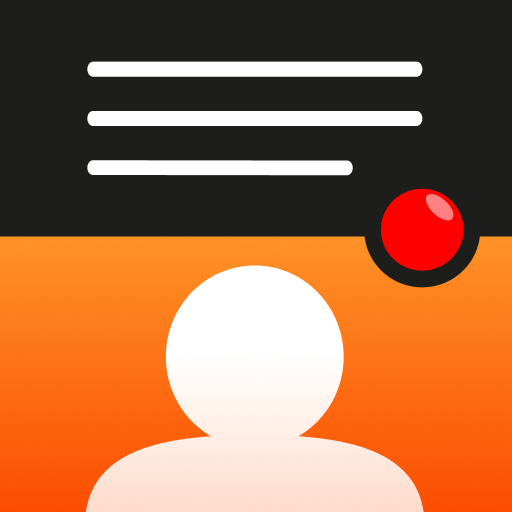
Using separate devices for recording and prompting creates flexibility in positioning. Record with your primary camera while running the teleprompter on a tablet or phone placed beside the lens. This separation allows optimal camera angles without compromising script visibility.
Remote control integration enables hands-free operation. Bluetooth controllers or foot pedals let you adjust scrolling speed and pause the script without reaching for your device, maintaining your on-camera position and energy.
Combining Teleprompter Apps with Recording Software
Overlay recording combines your teleprompter screen with your camera feed through specialized apps. This approach works particularly well for smartphone-only setups where you want maximum portability without sacrificing functionality.
Split-screen monitoring helps when using external cameras. Some teleprompter apps offer preview windows showing your camera feed alongside the scrolling script, allowing you to monitor framing while reading.
Adapting for Different Video Formats
Vertical video for social platforms requires different script structuring. With less horizontal space, you’ll want shorter lines and more frequent breaks. Adjust your teleprompter app’s text width to match portrait orientation for better readability.
Short-form content benefits from bullet-point scripts rather than full paragraphs. When creating 30-second TikToks or Instagram Stories, list key talking points instead of complete sentences, allowing for more natural improvisation around structured ideas.
📊 Comparing Popular Teleprompter App Options
The market offers numerous teleprompter applications across iOS and Android platforms. Understanding their strengths helps you choose based on your specific needs and production style.
Free vs. Premium Solutions
Free teleprompter apps typically provide core functionality—text scrolling, basic speed control, and simple formatting. These work perfectly for occasional users, hobbyists, or creators testing whether teleprompter technology fits their workflow.
Limitations in free versions usually include watermarks on recorded videos, restricted script lengths, fewer customization options, and occasional advertisements. For casual use, these constraints remain manageable.
Premium applications remove these restrictions while adding professional features: unlimited script storage, advanced formatting options, cloud synchronization, remote control compatibility, and priority customer support. Subscriptions typically range from $5 to $15 monthly, with lifetime purchase options sometimes available.
Platform-Specific Considerations
iOS applications often integrate tightly with Apple’s ecosystem, offering seamless iCloud syncing, Apple Watch controls for script scrolling, and optimization for iPad Pro displays. The App Store maintains strict quality standards, ensuring reliable performance.
Android flexibility allows for more hardware variety, from budget smartphones to flagship devices. Top Android teleprompter apps adapt to different screen sizes and aspect ratios effectively, though performance varies more significantly across device manufacturers.
💡 Troubleshooting Common Teleprompter Challenges
Even with the best apps and setups, creators encounter occasional obstacles. Recognizing these issues and knowing solutions keeps your production flowing smoothly.
Reading Without Looking Like You’re Reading
The telltale sign of teleprompter use is eyes scanning horizontally across lines of text. Combat this by increasing font size dramatically—larger text requires less eye movement. Position the teleprompter script to align with where your eyes naturally rest.
Practice maintaining facial expressiveness while reading. Many beginners focus so intently on the words that their face becomes static. Rehearse delivering lines with appropriate emotions, smiles, and gestures that match your content.
Managing Script Updates During Sessions
Last-minute changes happen frequently in video production. Choose apps with quick-edit capabilities that don’t require exiting the teleprompter view. Some applications allow you to pause, make inline edits, and resume without losing your place.
Version control prevents confusion when working with multiple script iterations. Save dated versions or use apps with automatic version history, allowing you to revert changes if needed.
Dealing with Technical Glitches
Screen timeout during recording disrupts takes. Disable auto-lock in your device settings before recording sessions. Most teleprompter apps also include keep-awake features that override system sleep settings.
Unexpected crashes usually stem from insufficient device memory. Close background applications before recording, and restart your device if you notice performance degradation. Keep your teleprompter app updated to benefit from bug fixes and stability improvements.
🚀 Future Trends in Teleprompter Technology
Artificial intelligence integration is reshaping teleprompter functionality. AI-powered apps now offer real-time script improvement suggestions, analyzing your text for readability, pacing, and engagement factors before you even record.
Natural language processing enables voice-to-text script creation where you speak your ideas naturally, and the app formats them into teleprompter-ready scripts. This technology shortens preparation time significantly for improvisational creators.
Augmented reality teleprompters represent the next frontier. AR glasses could display floating text only you can see while looking directly at your audience or camera, eliminating screens entirely. Several companies are developing prototypes, though widespread adoption remains years away.
Multi-language support with real-time translation helps global creators. Record in your native language while the teleprompter simultaneously displays translations, enabling multilingual content creation without script rewrites.
✨ Making the Most of Your Teleprompter Investment
Consistency in practice yields the biggest improvements in on-camera delivery. Dedicate time each week to recording with your teleprompter app, even if you’re not publishing the content. Muscle memory develops with repetition, making the technology feel increasingly invisible.
Join creator communities focused on video production to exchange tips, script templates, and setup configurations. Online forums, YouTube channels, and social media groups dedicated to content creation offer valuable insights from people facing similar challenges.
Track your progress by reviewing older videos periodically. You’ll notice improvements in delivery smoothness, eye contact naturalness, and overall confidence that might not be apparent day-to-day. This reflection reinforces the value of your teleprompter workflow.
Experiment with different content types to understand where teleprompters help most. Some creators find them essential for every video, while others reserve them for specific formats like formal announcements or educational content while improvising vlogs and casual updates.
The transformation from hesitant, script-dependent presenter to confident, natural-looking communicator happens gradually. Teleprompter apps accelerate this journey by removing the cognitive load of memorization, letting you focus on delivery quality, emotion, and connection with your audience. Whether you’re building a personal brand, growing a YouTube channel, or creating professional business communications, mastering teleprompter technology gives you a significant competitive advantage in the crowded digital video landscape.
