
Anúncios
Transform your living space with powerful decoration apps that bring professional design tools right to your smartphone, making home styling accessible to everyone.
The way we approach interior design has evolved dramatically. Gone are the days when you needed to hire expensive consultants or flip through countless magazines for inspiration. Modern technology puts sophisticated design capabilities in your pocket, allowing you to visualize changes before moving a single piece of furniture.
Whether you’re planning a complete home makeover or simply refreshing a single room, decoration apps offer practical solutions. From augmented reality features that let you see furniture in your actual space to AI-powered color palette generators, these digital tools have democratized the entire design process.
🎨 Essential Features to Look for in Home Decoration Apps
When exploring decoration applications, certain features separate basic tools from truly transformative platforms. Understanding what to prioritize helps you select the right app for your specific project needs.


Augmented reality visualization stands as perhaps the most revolutionary feature. This technology overlays digital furniture and decor items onto your real space through your phone’s camera. You can instantly see how that navy sofa fits against your living room wall or whether the coffee table you’re eyeing complements your existing pieces.
Advanced apps incorporate room measurement tools that use your camera to calculate dimensions accurately. This eliminates the guesswork and the need for tape measures, reducing costly purchasing mistakes. You’ll know precisely whether that king-size bed fits in your bedroom before ordering.
3D floor planning capabilities let you design entire room layouts from scratch. Drag and drop furniture, adjust wall colors, and experiment with different configurations. The best platforms provide extensive catalogs of actual furniture from real retailers, complete with accurate dimensions and pricing.
AI-Powered Design Assistance 🤖
Artificial intelligence has entered the decoration space in meaningful ways. Smart apps analyze your existing space through photos and suggest complementary color schemes, furniture styles, and layout improvements based on design principles.
Some platforms offer style matching algorithms that identify your aesthetic preferences. After you select images you like, the app recognizes patterns—whether you gravitate toward mid-century modern, Scandinavian minimalism, or eclectic bohemian—and tailors recommendations accordingly.
The instant redesign feature found in cutting-edge apps allows you to upload a room photo and receive multiple design variations within seconds. These AI-generated concepts serve as excellent starting points that you can customize further.
🛋️ Practical Ways to Use Decoration Apps in Your Projects
Moving from browsing to actual implementation requires strategy. These applications become most valuable when you approach them with specific goals and systematic methods.
Start by documenting your current space with clear, well-lit photos from multiple angles. Most apps work best when they have comprehensive visual information about your room’s dimensions, lighting conditions, and existing elements. Take shots during different times of day to see how natural light affects the space.
Create a digital mood board within your chosen app. Save images, color palettes, furniture pieces, and decor accessories that resonate with your vision. This collection becomes your reference point, ensuring consistency as you make purchasing decisions over time.
Budget Planning and Cost Management 💰
The financial aspect of home decoration can spiral quickly without proper planning. Quality apps help you maintain fiscal discipline while achieving your aesthetic goals.
Look for platforms that allow you to set budget limits per room or project. As you add items to your virtual design, the app tracks accumulated costs, preventing overspending. Some applications even suggest comparable alternatives when you exceed your budget.
Price comparison features scan multiple retailers to find the best deals on items you’ve selected. Rather than manually searching dozens of websites, the app does the legwork, potentially saving hundreds of dollars on larger projects.
| Budget Range | Recommended Approach | App Features to Prioritize |
|---|---|---|
| Under $500 | Focus on accessories and paint | Color visualizers, decor catalogs |
| $500-$2,000 | Add key furniture pieces | AR placement, dimension tools |
| $2,000-$5,000 | Complete room refresh | Full 3D planning, retailer integration |
| Above $5,000 | Multiple rooms or renovation | Project management, professional consultation |
🏠 Room-by-Room Design Strategies
Different spaces present unique challenges that specialized app features address effectively. Tailoring your approach to each room type yields better results than applying one-size-fits-all solutions.
Living Room Transformation Ideas
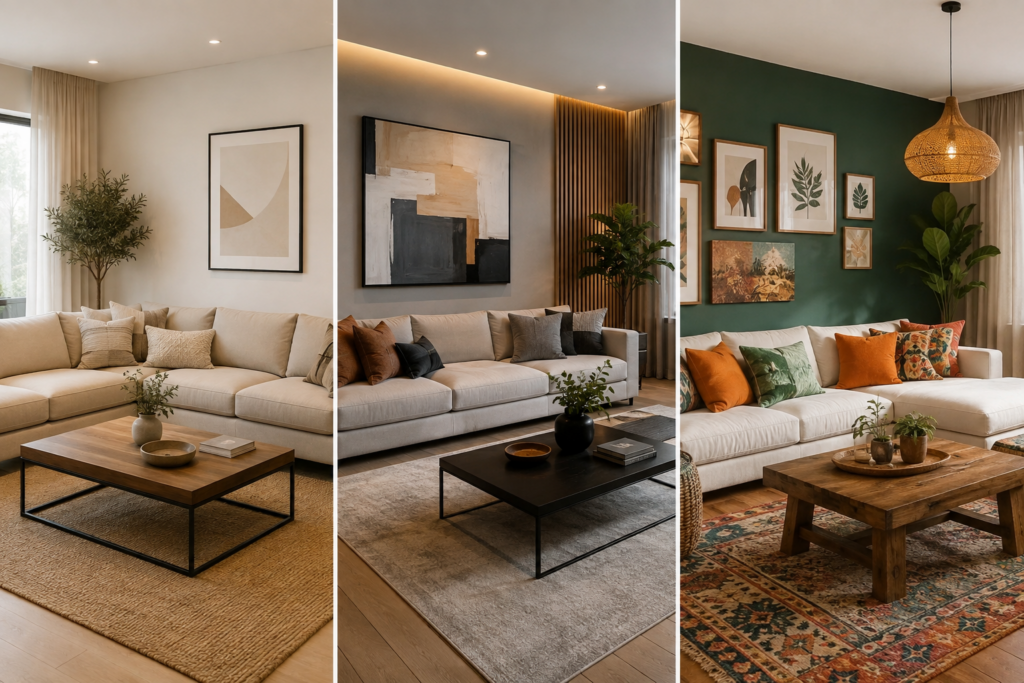
The living room serves as your home’s social hub, requiring careful balance between aesthetics and functionality. Use your decoration app to experiment with furniture arrangement patterns that encourage conversation while maintaining traffic flow.
Test various focal point options—whether that’s a fireplace, entertainment center, or statement artwork. The app lets you visualize each scenario without physically hauling furniture around. Pay attention to the virtual measurements that indicate whether people can comfortably walk between pieces.
Lighting plays an enormous role in living spaces. Advanced apps include lighting simulation tools that show how different fixtures and lamp placements affect ambiance. Position virtual lights at various heights and intensities to find the perfect balance between functional and mood lighting.

Bedroom Sanctuary Design
Creating a restful bedroom environment requires attention to color psychology and spatial harmony. Decoration apps help you explore calming color schemes proven to promote better sleep—think soft blues, gentle greens, and warm neutrals.
Use the app’s bed placement optimizer to identify the ideal position based on room shape, window location, and door placement. Proper bed positioning affects both sleep quality and room functionality. The digital preview shows whether you’ll have adequate space for nightstands and comfortable walking paths.
Experiment with textile layering visualization to see how different bedding, curtains, and rugs work together. These apps often include texture previews, helping you understand how materials interact visually even before purchasing fabric samples.
Kitchen and Dining Area Planning
Functional spaces like kitchens benefit tremendously from precise planning. Apps with cabinet visualization tools let you see how different finishes, hardware, and organizational systems transform the space without committing to expensive renovations.
For dining areas, use table size calculators within the app to determine appropriate dimensions based on your family size and entertaining habits. The virtual placement shows clearance space around the table, ensuring guests can sit and move comfortably.
🎯 Color Coordination Made Simple
Color selection intimidates many homeowners, but modern apps remove the guesswork with scientific approaches to palette creation.
Photo-based color extraction represents a game-changing feature. Point your camera at any object—a favorite piece of artwork, a fabric swatch, even a sunset—and the app identifies the exact color values. It then generates coordinating palettes based on proven color theory principles.
The paint brand matching function translates digital colors into specific paint names and numbers from major manufacturers. This bridges the gap between digital design and physical execution, eliminating the frustration of trying to match colors by eye at the hardware store.
Many apps include virtual paint testers that apply your selected colors to your actual walls through AR. Watch your white walls transform to sage green or navy blue in real-time, seeing how the shade looks in your specific lighting conditions throughout the day.
Understanding Color Psychology 🌈
Strategic color choices influence mood and perceived space dimensions. Quality decoration apps include educational resources about color psychology integrated into their recommendation engines.
- Warm tones (reds, oranges, yellows) create energy and intimacy, ideal for social spaces
- Cool tones (blues, greens, purples) promote calm and focus, perfect for bedrooms and offices
- Neutral palettes (grays, beiges, whites) provide versatility and make spaces feel larger
- Accent colors add personality without overwhelming—apps calculate ideal ratios automatically
🛍️ Shopping Integration and Purchase Management
The connection between digital design and actual purchasing has become increasingly seamless. Top-tier decoration apps function as shopping platforms alongside design tools.
Direct retailer links within the app let you purchase items immediately after placing them in your virtual design. Tap on that perfect armchair, and you’re redirected to the retailer’s checkout page with the exact model already selected.
Create shopping lists with priority rankings for phased purchasing. Mark essential items versus nice-to-have pieces, allowing you to spread costs over time while maintaining design cohesion. The app tracks what you’ve purchased and what remains, keeping projects organized.
Some platforms offer waitlist alerts for out-of-stock items and notifications when pieces go on sale. This feature proves invaluable for budget-conscious decorators willing to wait for the right price on key furniture pieces.
Measuring Success with Before-and-After Comparisons
Documentation features within decoration apps serve practical and emotional purposes. The project timeline gallery creates a visual story of your transformation journey.
Take regular progress photos using the app’s built-in camera with consistent angles and lighting. These images become valuable records if you encounter issues with contractors, need to replicate successful designs in other spaces, or simply want to remember your accomplishment.
Share your completed projects within app communities to inspire others and receive feedback. Many platforms host design challenges and contests that reward creative applications of their tools, potentially earning you discounts or recognition.
🔧 Advanced Features for Serious Decorators
Once you’ve mastered basic functionality, exploring advanced capabilities unlocks even greater creative potential and project efficiency.
Custom furniture design modules allow you to specify exact dimensions for built-in pieces or custom orders. Input your requirements, select materials and finishes, and the app generates 3D models you can share with carpenters or furniture makers.
Professional-grade apps include lighting design calculators that determine optimal lumens, fixture types, and placement for proper illumination. This technical approach ensures your beautiful design actually functions well for reading, cooking, or whatever activities the space accommodates.
Material and finish libraries in premium apps feature realistic representations of wood grains, fabric textures, metal finishes, and stone patterns. Zoom in to see fine details that help you make informed decisions about tactile elements—especially important since these significantly impact the space’s overall feel.
Collaboration Tools for Shared Decisions 👥
Home decoration rarely happens in isolation. Apps with robust sharing features facilitate better communication between household members, roommates, or clients and designers.
Real-time collaborative editing lets multiple users work on the same design simultaneously. Your partner can adjust furniture placement from their phone while you experiment with colors on yours, with changes appearing instantly for both.
The comment and annotation system allows stakeholders to leave feedback directly on specific design elements. Rather than vague conversations about “that chair,” everyone can reference the exact item with written notes or voice memos attached.
📱 Maximizing Your App Experience
Getting the most value from decoration apps requires more than just downloading and tapping around. Strategic usage patterns dramatically improve outcomes.
Regular app updates bring new features, expanded catalogs, and performance improvements. Enable automatic updates or check monthly for the latest versions. New furniture collections and design trends appear constantly, keeping your options current.
Join the app’s user community through forums, social media groups, or in-app discussion boards. Experienced users share tips, workarounds, and creative applications you won’t find in official documentation. You’ll also discover how others solved problems similar to yours.
Many apps offer tutorial series or webinars that dive deeper into advanced features. Investing an hour in structured learning saves countless hours of trial and error. Some platforms provide certification programs for users who want to offer design services professionally.
Troubleshooting Common Challenges 🔍
Even the best apps occasionally present technical or creative obstacles. Understanding common issues and their solutions keeps your project moving forward.
AR placement accuracy problems usually stem from poor lighting or insufficient floor space visible to the camera. Improve results by designing during daytime with multiple light sources and clearing the floor of clutter before activating AR features.
When colors appear different on screen versus reality, remember that device displays vary significantly. Use the app’s color matching feature with physical paint samples to calibrate expectations, and always test actual paint on your walls before committing to full-room coverage.
App crashes or slow performance often indicate you need to clear cache, free up device storage, or restart your phone. Complex 3D renders require substantial processing power, so close background apps when working on detailed designs.
🌟 Transforming Ideas Into Reality
The ultimate goal extends beyond creating beautiful digital designs—you want to live in a thoughtfully decorated, functional space that reflects your personality.
Set realistic timelines using the app’s project management features. Breaking large transformations into smaller milestones prevents overwhelm and maintains momentum. Schedule specific tasks like measuring, purchasing, and assembly rather than attempting everything at once.
Start with low-commitment changes to build confidence. Rearrange existing furniture using the app’s guidance before buying new pieces. Experiment with removable wallpaper or temporary decor elements the app recommends. These small wins create enthusiasm for larger projects.
Document your lessons learned within the app’s notes feature. Record which retailers delivered quality items, what installation challenges you encountered, and how long various tasks actually took. This personal knowledge base becomes invaluable for future projects.
Remember that decoration represents an ongoing journey rather than a single destination. Your style evolves, your needs change, and new inspiration emerges constantly. Quality decoration apps grow with you, offering fresh possibilities each time you open them. The space you create today reflects your current chapter, and these digital tools ensure you can adapt your environment as your story continues.
